
Planning to work abroad, study overseas or travel for a holiday? The first document you need is a passport. The good news is that you can complete the passport apply online process in about 20 minutes on the Passport Seva portal, book an appointment and get your passport delivered by post after verification.
This easy guide explains the full passport apply online process for a fresh passport and re-issue, documents required, fees, Tatkal option, police verification, tracking status and common mistakes to avoid.

Passport Apply Online: Quick Overview
| Item | Details |
|---|---|
| Official portal | Passport Seva (Ministry of External Affairs) |
| Application types | Fresh, re-issue (renewal, change of details), Tatkal |
| Where to visit | Passport Seva Kendra (PSK) or Post Office Passport Seva Kendra (POPSK) |
| Payment | Online while booking appointment |
| Verification | Police verification (before or after issue, depending on case) |
| Delivery | By Speed Post to your address |
Who Can Apply?
Any Indian citizen can apply for an ordinary passport. Minors (below 18) apply with the consent of parents. Adults applying for the first time choose “Fresh”, while those whose passport has expired, is about to expire, has run out of pages or needs changes choose “Re-issue”.
Documents Required for Passport Apply Online
Proof of present address (any one)
- Aadhaar card
- Water, electricity, telephone or gas connection bill
- Bank passbook with photo (of a scheduled bank)
- Rent agreement (registered)
- Income Tax assessment order
- Election Photo Identity Card (EPIC)
Proof of date of birth (any one)
- Birth certificate issued by the registrar of births and deaths or municipal authority
- School leaving / transfer / matriculation certificate
- PAN card
- Aadhaar card or e-Aadhaar
- Driving licence
- Election Photo Identity Card
Accepted document lists may be updated. Always check the latest list on the official portal before your appointment. Carry originals and self-attested photocopies.
Step-by-Step: Passport Apply Online
Step 1: Register on Passport Seva
- Visit the official Passport Seva website or use the mPassport Seva app.
- Click “New User Registration”.
- Select the Passport Office for your area (based on your residential address).
- Enter your name, date of birth, email and create a login ID.
- Activate the account through the link sent to your email.
Step 2: Fill the application form
- Log in and click “Apply for Fresh Passport/Re-issue of Passport”.
- Fill the form online, or download the e-form, fill it offline and upload.
- Enter personal details, family details, address, emergency contact and previous passport details (if any).
- Choose the booklet type (36 or 60 pages) and scheme (Normal or Tatkal).
- Submit the form and note the Application Reference Number (ARN).
Step 3: Pay the fee and book an appointment
- On the home page, click “View Saved/Submitted Applications”.
- Select your ARN and click “Pay and Schedule Appointment”.
- Choose a PSK or POPSK and an available date.
- Pay online using net banking, debit or credit card, or UPI.
- Print or save the appointment receipt.
Step 4: Visit the Passport Seva Kendra
- Reach the PSK or POPSK on time with original documents and photocopies.
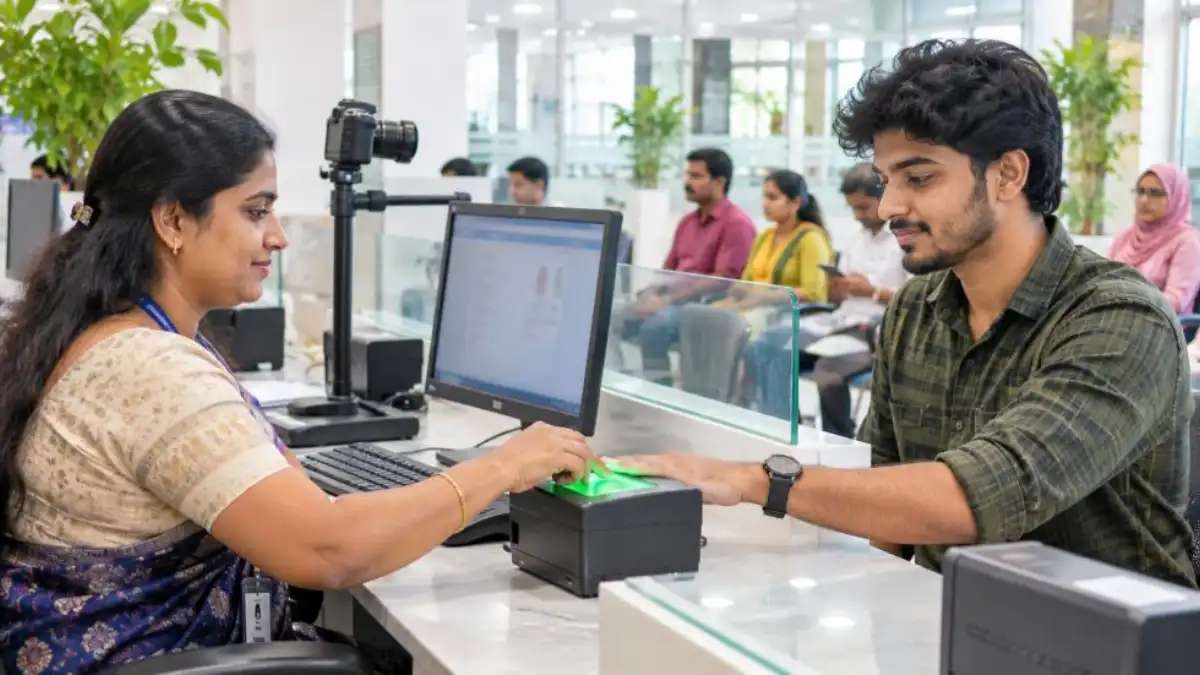
- Token issue, document check, photo and fingerprints are taken.
- Documents are verified by officials.
- Your application is granted or sent for further processing.
Step 5: Police verification
For most fresh passports, police verification is done at your address. An officer may visit or call you to the station to check your identity and address. Keep your documents ready. The mPassport Police app is used by police to speed up verification in many states.
Step 6: Passport printing and delivery
After successful verification, the passport is printed and sent by Speed Post. Track the status on the portal or app with your file number.
Passport Fees
| Type | Booklet | Fee (approx.) |
|---|---|---|
| Fresh / Re-issue (Normal), adult, 10-year validity | 36 pages | ₹1,500 |
| Fresh / Re-issue (Normal), adult | 60 pages | ₹2,000 |
| Tatkal, adult | 36 pages | ₹3,500 |
| Tatkal, adult | 60 pages | ₹4,000 |
| Minor below 15 years (Normal), 5-year validity | 36 pages | ₹1,000 |
Fees are as published on Passport Seva and may change. Use the fee calculator on the portal for the exact amount.
Tatkal Passport: When and How
Tatkal is for urgent needs such as sudden job offers or medical travel abroad. You pay a higher fee and the passport is usually issued faster, often with police verification after issue. In the online form, select “Tatkal” under scheme type. Carry the additional documents required for Tatkal as listed on the portal.
ECR and Non-ECR Passports
Passports are marked ECR (Emigration Check Required) or non-ECR. People who have not passed Class 10 are generally in the ECR category. ECR passport holders need emigration clearance before going to work in certain countries, including Gulf countries. Read our guide on eMigrate registration for ECR passport holders. Submit your Class 10 certificate during the passport apply online process to get non-ECR status if eligible.
How to Track Passport Application Status
- Visit the Passport Seva portal and click “Track Application Status”.
- Select application type, enter your file number and date of birth.
- Or use the mPassport Seva app.
- You also receive SMS and email updates at each stage.
Common Mistakes in Passport Apply Online
- Name spelling different from documents.
- Wrong date of birth or place of birth.
- Selecting the wrong Passport Office or PSK.
- Not mentioning previous passport details during re-issue.
- Address mismatch between form and proof.
- Missing the appointment without rescheduling.
- Not being available at home during police verification.

Beware of Fake Passport Websites and Agents
Several fake websites look like Passport Seva and charge extra fees. Always type the official address yourself or use the official app. You do not need an agent for the passport apply online process. If you are applying for a passport for a job abroad, also read our guide on how to spot a fake Gulf job offer.
Passport Apply Online for Minors
Parents can complete the passport apply online process for children using their own login or a new account in the child’s name. Key points:
- Both parents’ details and passport numbers (if they have passports) are entered in the form.
- Annexure D (declaration by parents) may be required when both parents consent.
- Birth certificate is usually the main date of birth proof for small children.
- At least one parent should accompany the minor to the PSK.
- A minor’s passport is generally valid for 5 years or until the child turns 18, whichever is earlier.
Passport Apply Online for Re-Issue (Renewal)
If your passport is expiring within a year, has expired, or has no blank pages, apply for re-issue. The passport apply online steps are the same, but select “Re-issue” and choose the reason. Carry your old passport in original along with self-attested copies of the first two and last two pages and the ECR/non-ECR page. If you want to change address, name or other details, carry supporting documents for the change.
Address Change in Passport
After moving house, you can apply for re-issue with change of address. Provide proof of the new address. Police verification may be done at the new address. Many people update their address before going abroad so that documents and verification are smooth.
Passport Apply Online Through Post Office PSK
Post Office Passport Seva Kendras (POPSKs) have made passport services available closer to home in many districts of Kerala and across India. The passport apply online process is the same; you simply choose a nearby POPSK while booking the appointment. Slots at POPSKs are often easier to get than at large city PSKs.
Documents Checklist on Appointment Day
- Appointment receipt (printed or on phone, as allowed).
- Original proof of address and date of birth.
- Self-attested photocopies of each document.
- Old passport (for re-issue).
- Class 10 certificate for non-ECR status, if applicable.
- Annexures, if required for your case.
Tips for a Smooth Police Verification
- Keep your phone reachable; the police may call before visiting.
- Have originals of address and ID proof ready at home.
- Inform family members in case the officer visits when you are away.
- Be honest about any past cases; hiding information can lead to rejection.
- Check verification status updates on the portal.
What If Your Passport Is Lost or Damaged?
If your passport is lost or stolen, file a police report (FIR or lost report) first. Then apply for re-issue under the “lost/damaged” category, attaching the police report and any copies of the old passport. If you are abroad, contact the Indian Embassy or Consulate for an emergency certificate or new passport.
Passport for Gulf Jobs: Extra Tips
Many job seekers apply for a passport only after getting a job offer, which causes delays. If you are planning to work in the Gulf, get your passport early, preferably with non-ECR status if you have passed Class 10. Keep at least 6 months to a year of validity remaining, because most countries require this for visas. Make several colour scans and store them in DigiLocker and your email.
Recruiters may ask for a passport copy when shortlisting, but never hand over the original to unverified agents. Read our guide on police clearance certificate for Gulf jobs as many visas also need a PCC from the passport office.
Understanding the Application Timeline
| Stage | What happens | Typical time |
|---|---|---|
| Online form and payment | You fill details and book a slot | Same day |
| Appointment | Visit PSK/POPSK for documents and biometrics | Depends on slot availability |
| Police verification | Address and background check | Varies by district |
| Printing and dispatch | Passport printed and posted | A few days after clearance |
| Delivery | Speed Post to your address | A few days |
Times differ between offices and seasons, so apply well before any planned travel.
Photo and Signature Guidelines
You do not need to carry a photo for most PSK appointments, because your photo is taken at the counter. Wear clothes that contrast with a white background, avoid white shirts, remove spectacles if asked, and keep a neutral expression. Your signature is captured digitally; sign the same way you sign other documents.
Passport Apply Online Using the mPassport Seva App
The official mPassport Seva app lets you register, fill the form, pay, book an appointment and track status from your phone. The steps mirror the website. The app is useful for checking appointment availability and status updates on the go. Download it only from the official Google Play Store or Apple App Store listing published by the Ministry of External Affairs.
Special Cases
- Government employees: May need an Identity Certificate or No Objection Certificate from their department, as per rules.
- Senior citizens (above 60) and children below 8: Some fee concessions and facilitation are available; check the portal.
- Persons with disabilities: PSKs provide assistance; mention requirements while booking.
- Name change after marriage: Carry the marriage certificate and follow the re-issue process.
Quick Recap: Passport Apply Online in 6 Steps
- Register on Passport Seva or the mPassport Seva app.
- Fill the form and note the ARN.
- Pay the fee and book an appointment.
- Visit the PSK/POPSK with originals.
- Complete police verification.
- Receive the passport by Speed Post and check all details.
Following these steps makes passport apply online quick and stress-free.
After You Receive Your Passport
When the passport arrives, check every detail immediately: name spelling, date and place of birth, parents’ names, address page and ECR status. If there is any mistake, apply for correction through re-issue as soon as possible. Sign on the signature page if required, and store the passport in a dry, safe place away from children and water.
Make digital copies and save them in DigiLocker, your email and a secure cloud folder. Note the passport number, date of issue and expiry date in your phone’s notes. Set a reminder about one year before expiry so that you can renew in time. If you travel frequently, consider the 60-page booklet when you renew, so that you do not run out of pages.
Keep Your Passport Safe Abroad
When working or travelling abroad, keep your passport in a safe place and carry a copy for daily use where local rules allow. Employers in many countries are not supposed to keep workers’ passports without consent. If anyone forcibly takes your passport, contact the Indian Embassy or Consulate for help.
Need Help?
If you face problems with the passport apply online process, call the national Passport Seva call centre listed on the official portal or visit the help desk at your Regional Passport Office. Kerala has Regional Passport Offices in Thiruvananthapuram, Kochi, Kozhikode and Malappuram, along with several PSKs and POPSKs. Officials can guide you on documents, annexures and special cases, so you do not need to pay middlemen. Sharing this guide with friends and family planning to travel can also save them time and confusion.
Frequently Asked Questions
How long does it take to get a passport?
Under the normal scheme, it usually takes a few weeks depending on police verification. Tatkal is faster.
Can I apply for a passport without a birth certificate?
Yes. You can use other accepted date of birth proofs like Aadhaar, PAN card, school leaving certificate or driving licence, as per the current list.
Is police verification required for re-issue?
In many re-issue cases without major changes, police verification may not be required, but the passport office decides based on the case.
Can I change my appointment date?
Yes. You can reschedule a limited number of times from your account on the portal.
What is the validity of an adult passport?
An ordinary passport for adults is generally valid for 10 years.
Conclusion
The passport apply online process is simple when you prepare your documents in advance. Register on Passport Seva, fill the form carefully, pay and book an appointment, visit the PSK with originals, and cooperate with police verification. Avoid agents and fake websites, track your status online and your passport will reach your home by post.